|
BG-Map Don't
have BG-Map yet? Learn about the GreVid and Garden Notepad Stand-Alone Version |
|
|
Download the Latest Version of Garden Notepad
|
|
|
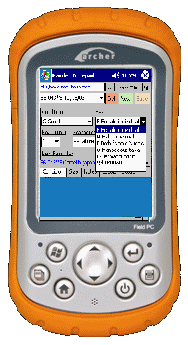
Garden
Notepad is integrated with BG-Map GreVidTM, allowing you
to easily switch between both applications. Barcode
and RFID Compatible
Garden
Notepad can be used with pre-printed or user-printed barcode labels or with
RFID tags. |
|
|
Garden
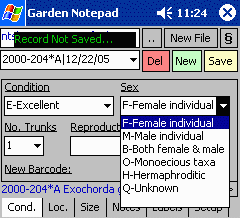
Notepad can record these pieces of information: Plant
Condition
- Record a code corresponding to the general condition of the plant. Number of
Trunks
- Record the number of trunks for multi-trunked trees. Multiple trunks are
automatically displayed on the map. Sex - Record the sex of
the plant. Reproductive
Status
- Record the current flowering or fruiting status. |
|
|
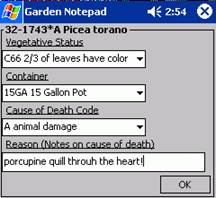
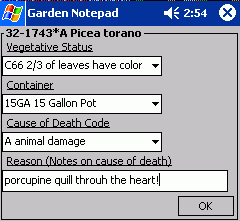
Vegetative
Status
- Record the code for the current vegetative status. Container - Record the code
for the plant container. Cause of Death – Record the
“Die Why” code and associated note. |
|
|
Plant
Location
- Record the codes for the current plant location and location change type. Number of
Plants
- Record the current number of plants or the word MASS. (To access these features, GreVid
is required.) |
|
|
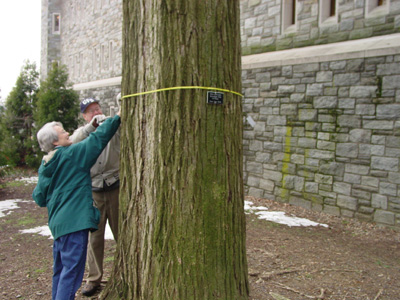
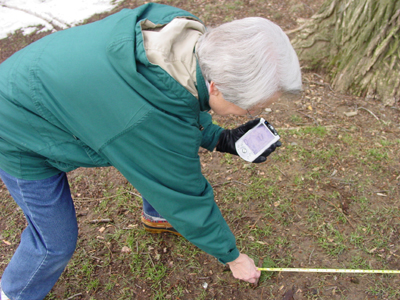
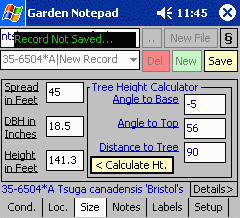
Spread - Record the canopy spread
in feet or meters. Canopy spread is automatically displayed on the map. DBH - Record the trunk
diameter at breast height in inches or centimeters. Trunk size is
automatically displayed on the map. Height - Record in the
height of the plant. The user can enter the height directly or by entering a
distance and an angle. The calculated tree height will then be displayed. Measurement
accuracy can be indicated as approximate or not. |
|
|
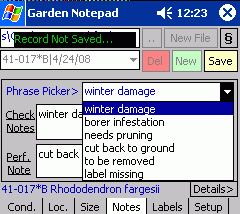
Check
Note
- Record a free-form check note describing the condition of the plant,
maintenance to be performed, etc. You can insert commonly used words from a
user-configurable "phrase picker". Performance Note – Record an
additional note on the performance of this plant. You can also use the Phrase Picker for
this field. |
|
|
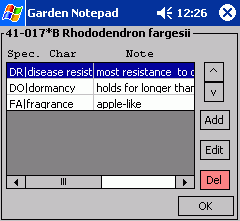
Special
Characteristics – Record special attribute of this plant
along with corresponding notes. (To access this feature, GreVid
is required.) |
|
|
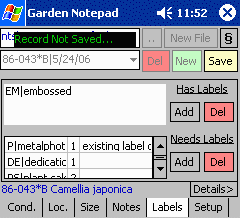
Labels
Existing
- Record labels currently on the plant. Select from a list of BG-BASE
label types. Labels
Needed
- Record labels needed for the plant, including quantities and notes for each
type. Select from a list of BG-BASE label types. |
|
|
|
|
Using
Garden Notepad to Enter Tree Measurements
© 2024 Glicksman Associates, Inc. All
rights reserved |