|
BG-Map Don't
have BG-Map yet?... Learn about the GreVid and Garden Notepad Stand-Alone Version |
|
|
"I
love the new search feature!!! It gives us so many other ways to use GreVid
and have our plant records be truly portable!" Rhoda
Maurer, Plant Records Supervisor |
 BG-Map
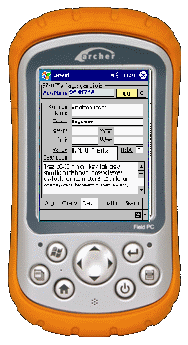
GreVid is a tool for viewing BG-BASETM plant collections records
and location maps in the field using a Windows-based handheld device. Simply,
enter the accession number or swipe a barcode, and tap "Go" to
quickly retrieve data on any living accessioned plant. Or, use the convenient
search tool to find plants by genus, location, and keywords. BG-Map
GreVid is a tool for viewing BG-BASETM plant collections records
and location maps in the field using a Windows-based handheld device. Simply,
enter the accession number or swipe a barcode, and tap "Go" to
quickly retrieve data on any living accessioned plant. Or, use the convenient
search tool to find plants by genus, location, and keywords. GreVid is
completely integrated with A data export
utility, built into BG-Map makes transfer of data from BG-BASE and
BG-Map to the handheld device quick and easy. Barcode
and RFID Compatible
GreVid can
be used with pre-printed or user-printed barcode labels or with RFID tags. |
|
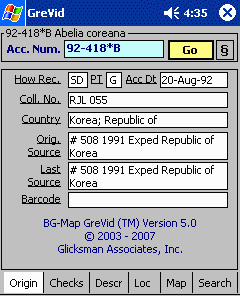
Origin of Plant and How Received
|
|
|
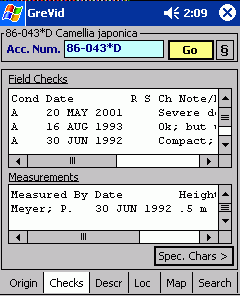
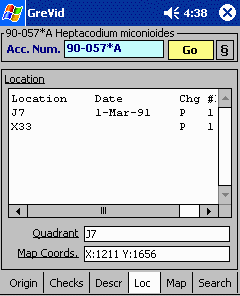
View the
past history of field checks and measurements for any plant. Multiple entries
are displayed in table format, making full use of the multi-value
capabilities of BG-BASE
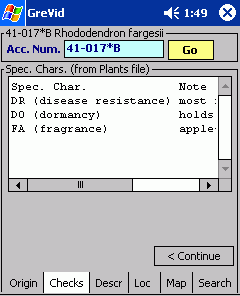
View special characteristics
and corresponding notes unique to each plant. |
Special
Characteristics and Notes |
|
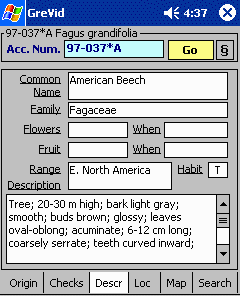
Description, Flower and Fruit Characteristics
|
|
|
Multiple
entries are displayed in table format, making full use of the multi-value
capabilities of BG-BASE
|
|
|
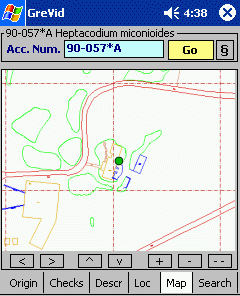
Map Display (More Details) The location
of the selected plant is displayed on a map, which is pan-able and zoom-able.
Use the map
display to assist staff in finding specific plants without the need to print
out numerous location maps. It can also serve and “where am I” device. Enter
or scan the accession number of a nearby plant, and GreVid will display a map
showing where you are. Visitors to large or intricate gardens will find this
particularly useful. (Map display
not available on GreVid and Garden Notepad Stand-Alone Version.) |
|
|
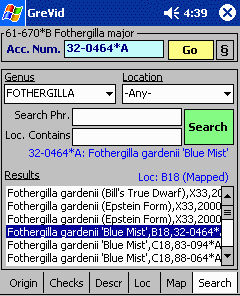
Find plants
quickly by genus and/or location. Results can be filtered through a search
phrase containing one or more keywords. Tap on any of the displayed results
to open its record. |
|
|
© 2021 Glicksman
Associates, Inc. All rights reserved |
|